# I can't see my staked GQ in the pool
### :eyes: **First of all, make sure you are looking at the correct pool!**
If you're unable to view your staked GQ in the pool, make sure you're looking at the correct pool. Scroll through the website to explore different single token and pair-based pools. If you've been away for a while, it's possible that your GQ is staked in one of the previous pools.
### :wrench: **Cache and/or spending limit issues**
If you're certain you're in the right pool and still can't see your staked GQ, it may be related to cache issues on your device or spending limit settings in a specific pool.
To resolve this, follow these three simple steps:
1. Clear your browser data/cache.
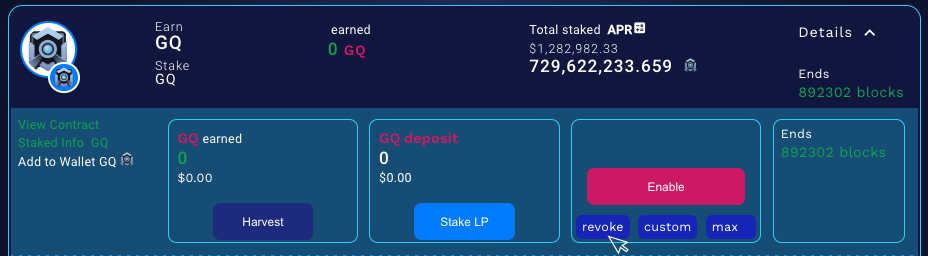
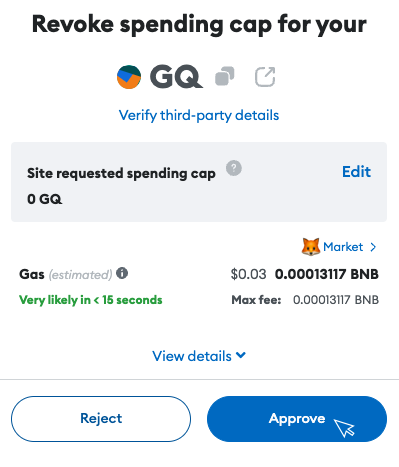
2. Revoke contracts from [https://dapp.outerringmmo.com/defi/pools](https://dapp.outerringmmo.com/defi/pools). Locate the specific pool in the list and use the "Revoke" button to approve the transaction.
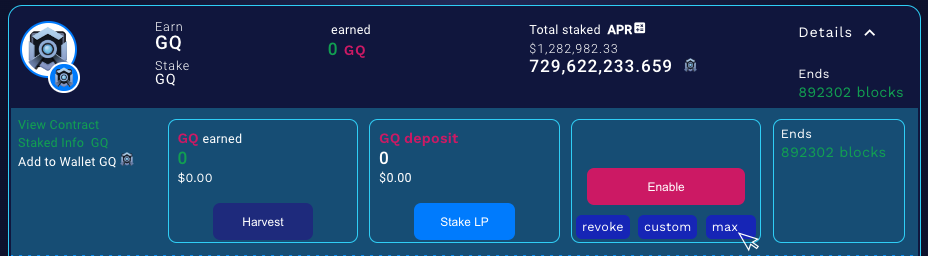
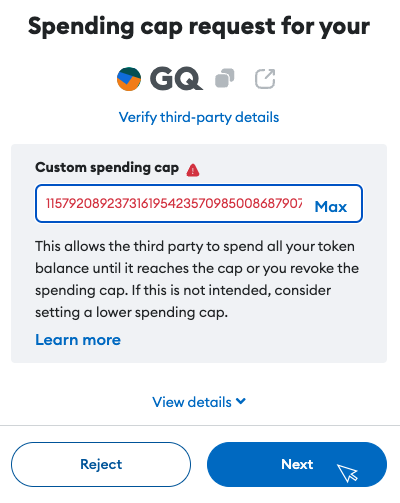
3. Use the “Max” button to change your spending limit, click "Next" and "Approve" in the second screen.