> For the complete documentation index, see [llms.txt](https://docs.blinkgalaxy.com/llms.txt). Markdown versions of documentation pages are available by appending `.md` to page URLs; this page is available as [Markdown](https://docs.blinkgalaxy.com/spanish/learning-station/outer-ring-dapp/staking-de-un-solo-token-gq-gq/staking-gq.md).

# Staking GQ

### **Busca el pool GQ/GQ**&#x20;

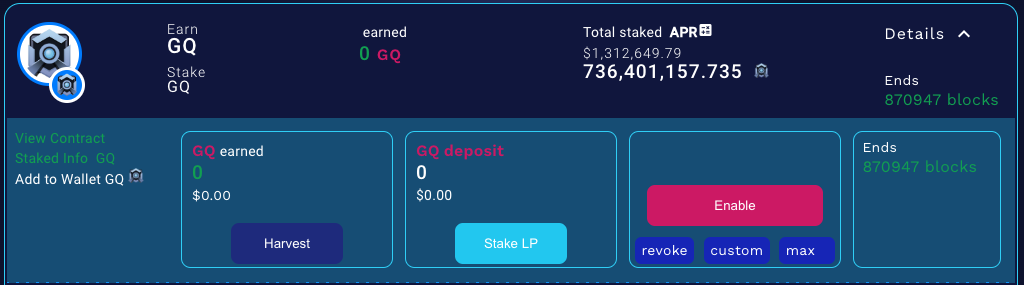
Para acceder al pool de GQ/GQ activo, visita <https://dapp.outerringmmo.com/defi/pools>. Puedes identificar el pool activo buscando el indicador que muestra los números de bloque restantes (tiempo) en <mark style="color:green;">verde</mark>.&#x20;

<figure><img src="/files/soc2kmBuIXYGuwH0hClE" alt=""><figcaption></figcaption></figure>

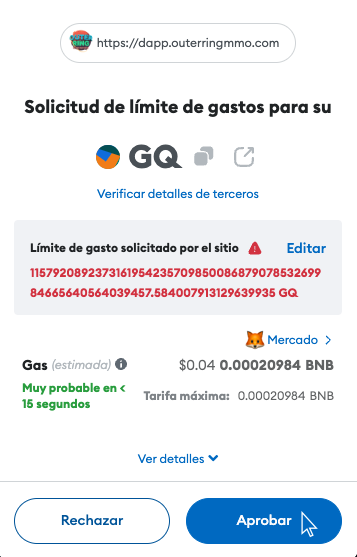
### **Habilita y configura el límite de gasto**

Usa el botón "Habilitar/Enable" y acepta el límite de gasto para GQ haciendo clic en "Aprobar/Approve".

<figure><img src="/files/K1rKJlqkb2e7ntvpj2rC" alt=""><figcaption></figcaption></figure>

<figure><img src="/files/aWNnQrTDgg7BVnRFZLSq" alt="" width="268"><figcaption></figcaption></figure>

### **Stake GQ**

Al realizar el paso anterior, el botón de "Habilitar/Enable" habrá sido reemplazado por "Deposit/Depositar".

<figure><img src="/files/CODRWHhNRof039wRrPkq" alt=""><figcaption></figcaption></figure>

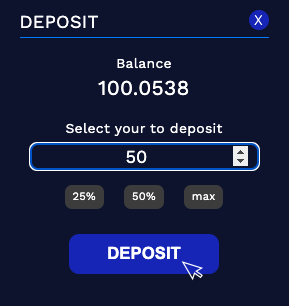
Haz clic en él y se mostrará una nueva pantalla donde puede ingresar la cantidad que deseas posicionar en staking. Para finalizar, solo tendrás que hacer clic en "Deposit/Depositar" y firmar la transacción.

<figure><img src="/files/xGgQwGERmTUGPY8rLv6s" alt=""><figcaption></figcaption></figure>